
AmpliSoft / System monitoring
System monitoring
A clear overview. Actionable detail.
System Health — Know Where to Look
AmpliSoft turns equipment status and measurements into a clear, at-a-glance health indicator.
The health overview brings together amplifier connectivity, temperatures, PDU availability, phase loading and reported system faults. With supported amplifiers, measured impedance can also help identify changes in the connected speaker load.
When something needs attention, open the health view to see the underlying checks, with faults and warnings prioritised. The rack’s local display mirrors the health information, helping technicians investigate issues directly at the equipment.
Timestamped logs add context: see when a condition changed and compare it with SPL, power demand and other available measurements.
A clear overview when everything is running well. Actionable detail when it isn’t.
SPL Monitoring — Understand Your Sound Levels
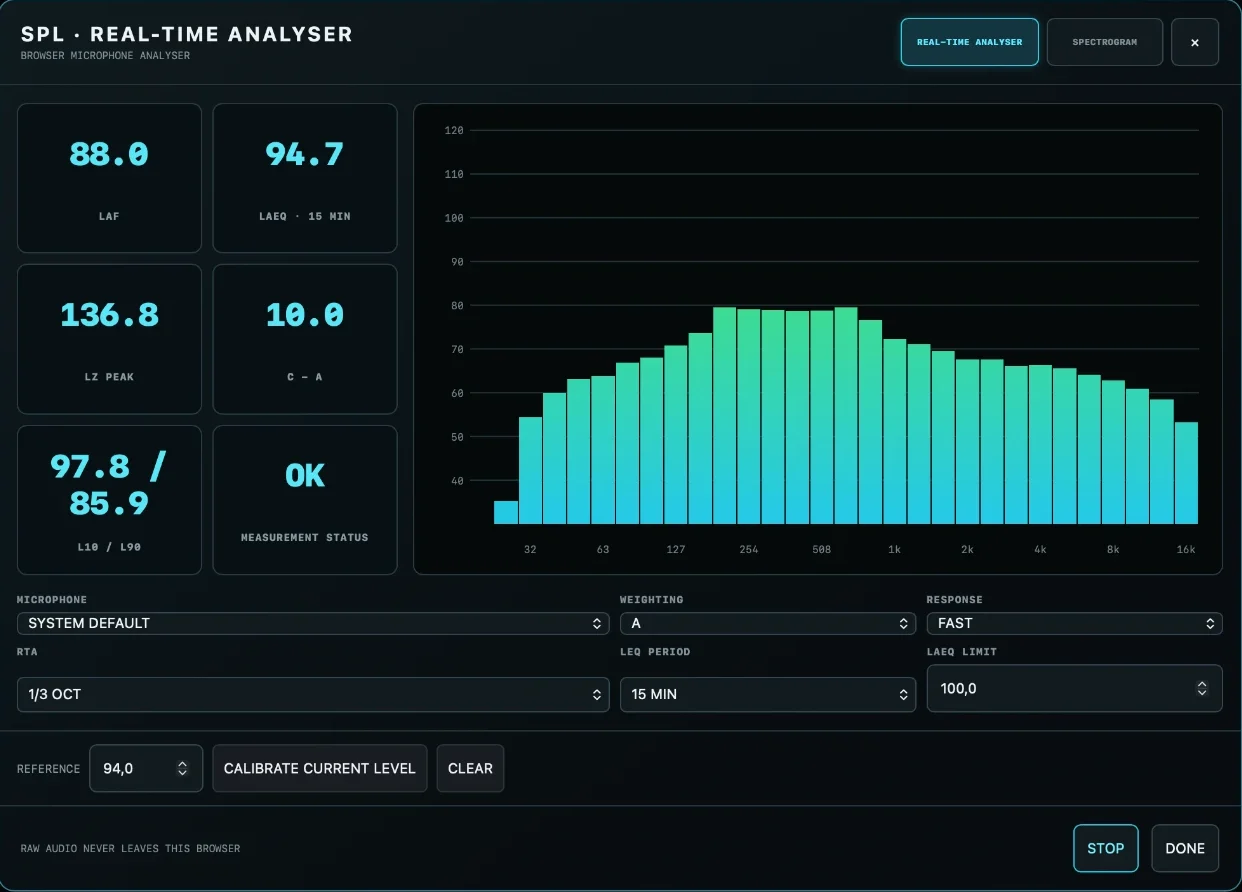
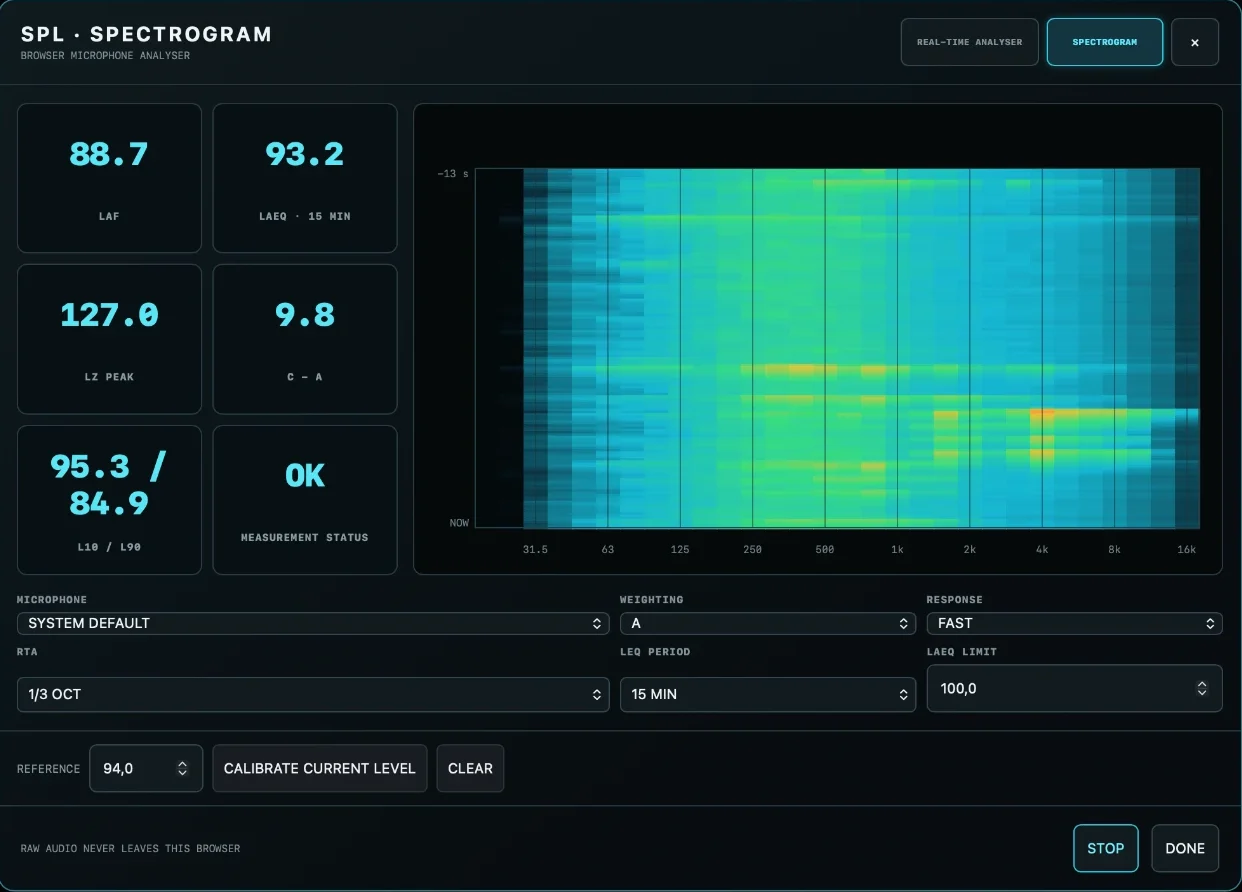
AmpliSoft’s browser-based SPL analyser combines sound-level readings with a real-time frequency analyser and spectrogram.
With a suitable microphone and verified calibration, monitor weighted sound levels, equivalent continuous levels over a selected period, peak levels and statistical measurements. Configurable limits help operators keep track of exposure throughout an event.
Raw microphone audio stays in the measuring browser. Recorded sound-level metrics can become part of the system’s operational history.
SPL accuracy depends on the microphone, audio interface and calibration. Monitoring alone is not a guarantee of compliance with exposure limits.
Smart Logs — Connect Sound, Load and System Behaviour
A sound-level reading tells you what happened acoustically. Power and amplifier data help explain what was happening in the system at the same time.
AmpliSoft brings SPL measurements, PDU current and power readings, temperatures, status changes and warnings into a timestamped history. Records identify the rack and the device performing the SPL measurement, helping you trace events back to their source.
With supported impedance-measuring amplifiers, the same timeline can also include measured speaker-load impedance. This allows operators to investigate changes in sound level alongside changes in electrical load, amplifier conditions and power consumption.
One timeline. Multiple perspectives. A clearer understanding of your system.
- Review sound levels alongside rack power demand.
- Investigate impedance changes on supported amplifier models.
- See temperature warnings and equipment status changes in context.
- Identify measurement interruptions instead of treating missing data as valid readings.
- Export records for reporting and further analysis.
In the interface
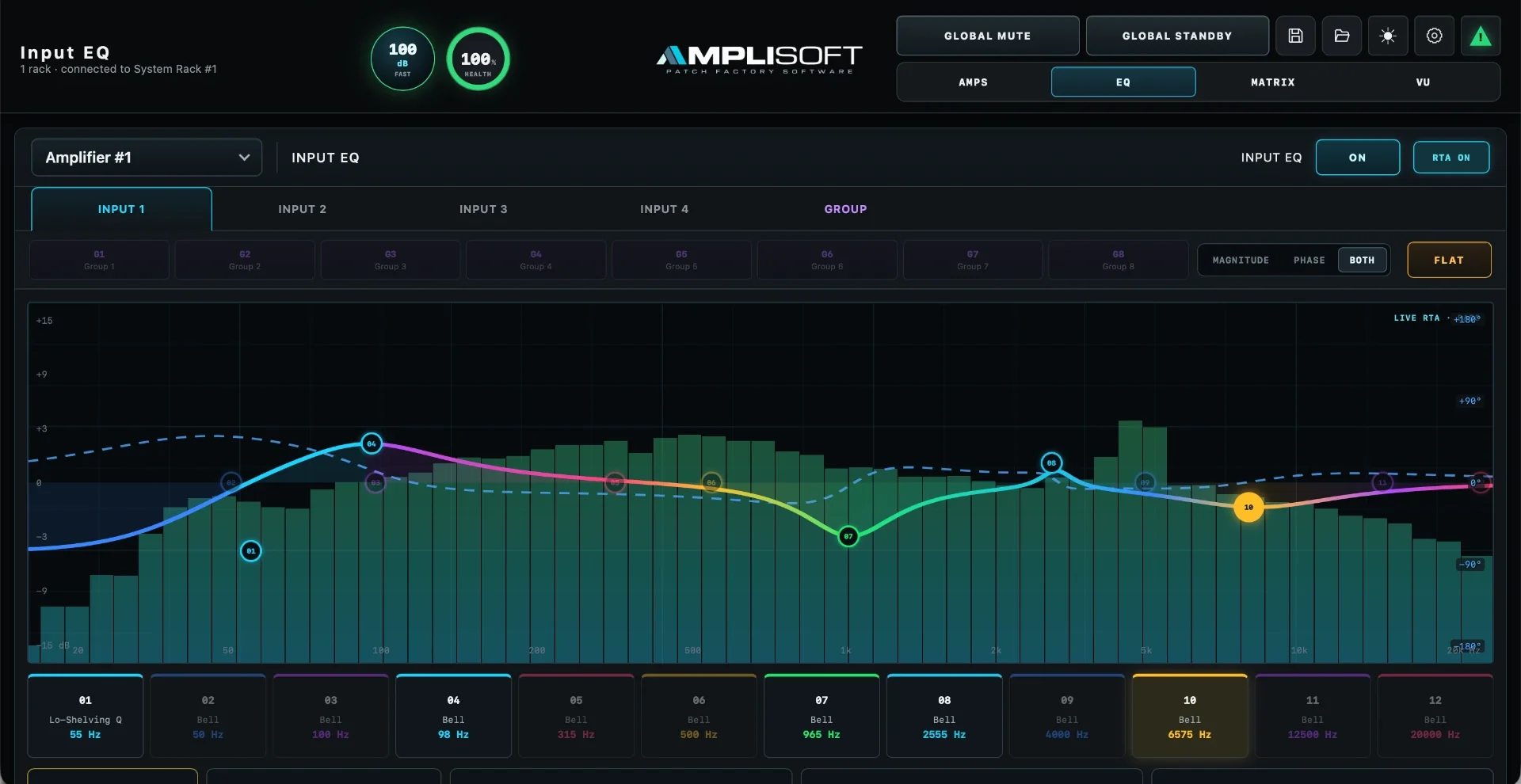
Screenshots from the locally hosted product interface. Values shown are example readings.
Built for your next system